Everything Velo does
Four protocols, real collection management, Postman import, code generation, and a keyboard-first workflow — all in a native macOS app that launches instantly and keeps your data on your machine.
Protocol support
One app for every connection you test — request/response and real-time streams alike.
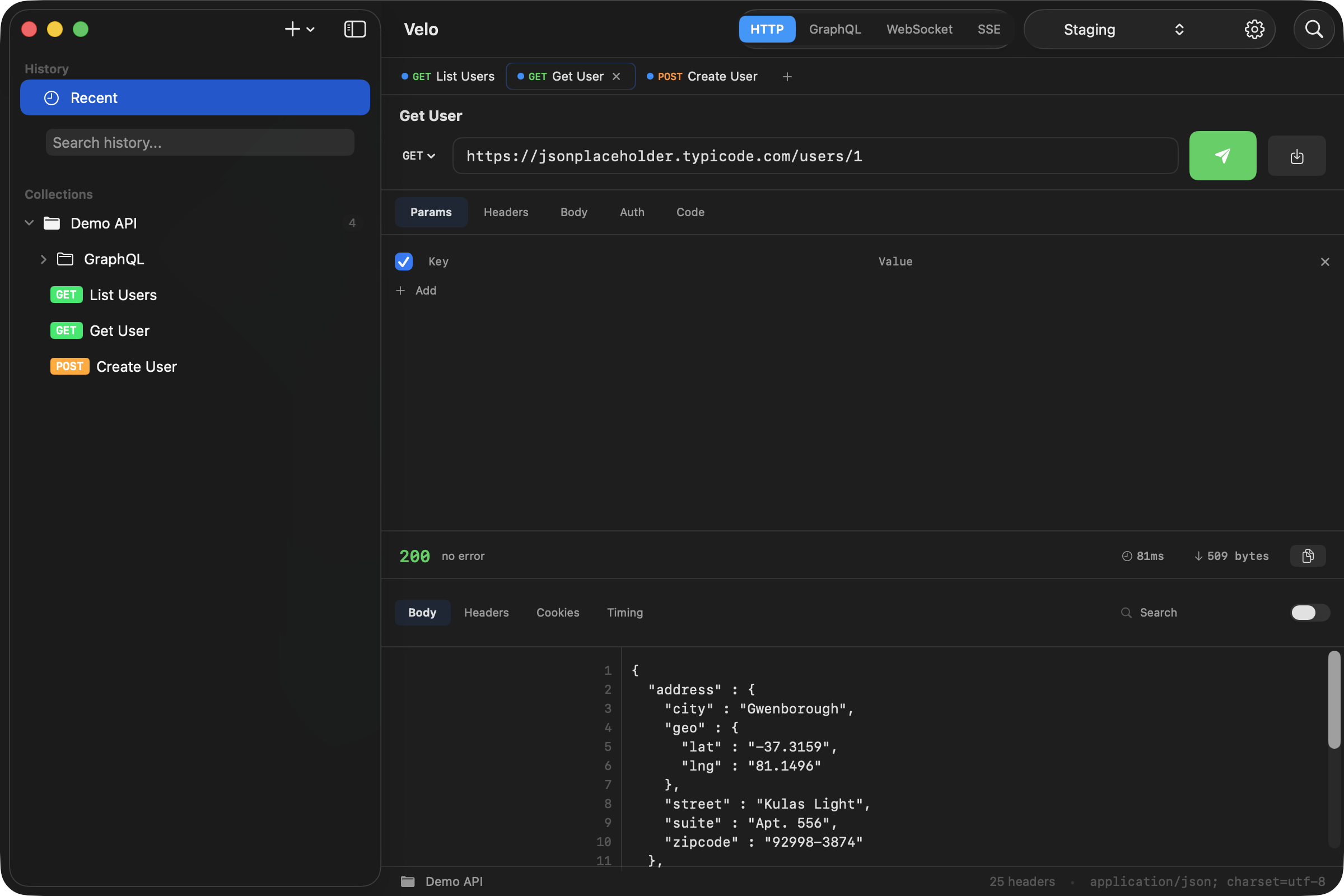
HTTP All methods
Full support for GET, POST, PUT, DELETE, PATCH, HEAD, and OPTIONS.
- Request builder — URL bar with auto-prepend
https://, method picker, headers, query params, body (JSON / form-data / raw), auth (Bearer / Basic / API Key) - Response viewer — status code, headers, cookies, body with line numbers, search, raw/pretty toggle
- Response timing — bar chart showing response times across multiple sends
- Code generation — export to cURL, Swift, JavaScript, Python
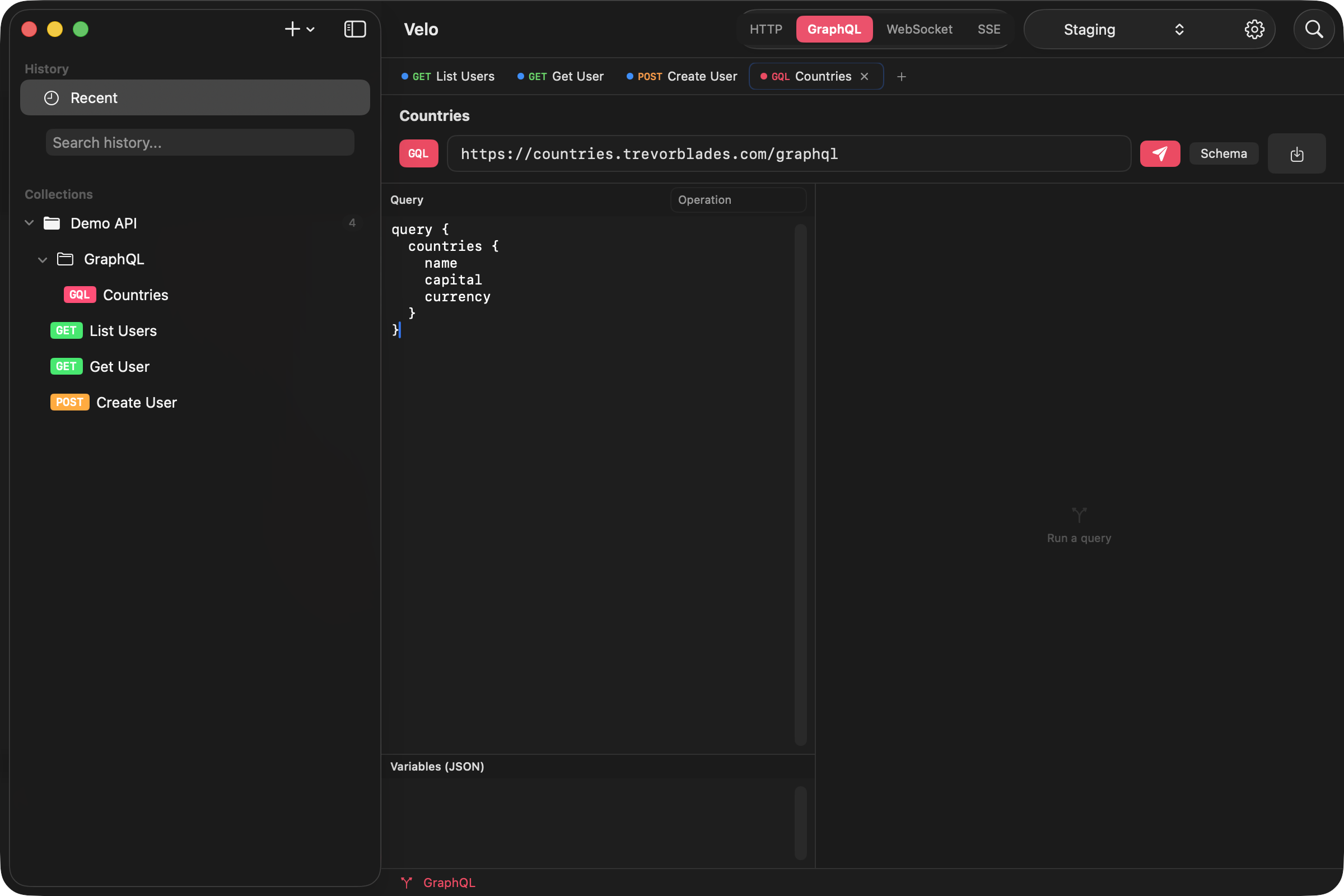
GraphQL Dedicated editor
Query, variables, and operation name fields in a purpose-built layout.
- Query editor — syntax-appropriate layout with split view
- Variables panel — JSON editor for query variables
- Schema introspection — one-click schema fetch via
__schemaquery - Templates — Query, Mutation, and Introspection starters
WS WebSocket
Real-time bidirectional communication testing.
- Connect / disconnect with a live status indicator
- Chat-style message view — outgoing (blue) and incoming (green) with timestamps
- Send bar — type and send messages, Enter to send
- Auto-scroll to the latest message
SSE Server-Sent Events
Stream event testing with real-time display.
- Live streaming — events appear as they arrive (unlike Postman, which waits for the connection to close)
- Event parsing — event type, data, and timestamp per event
- Event counter in the toolbar
Organization
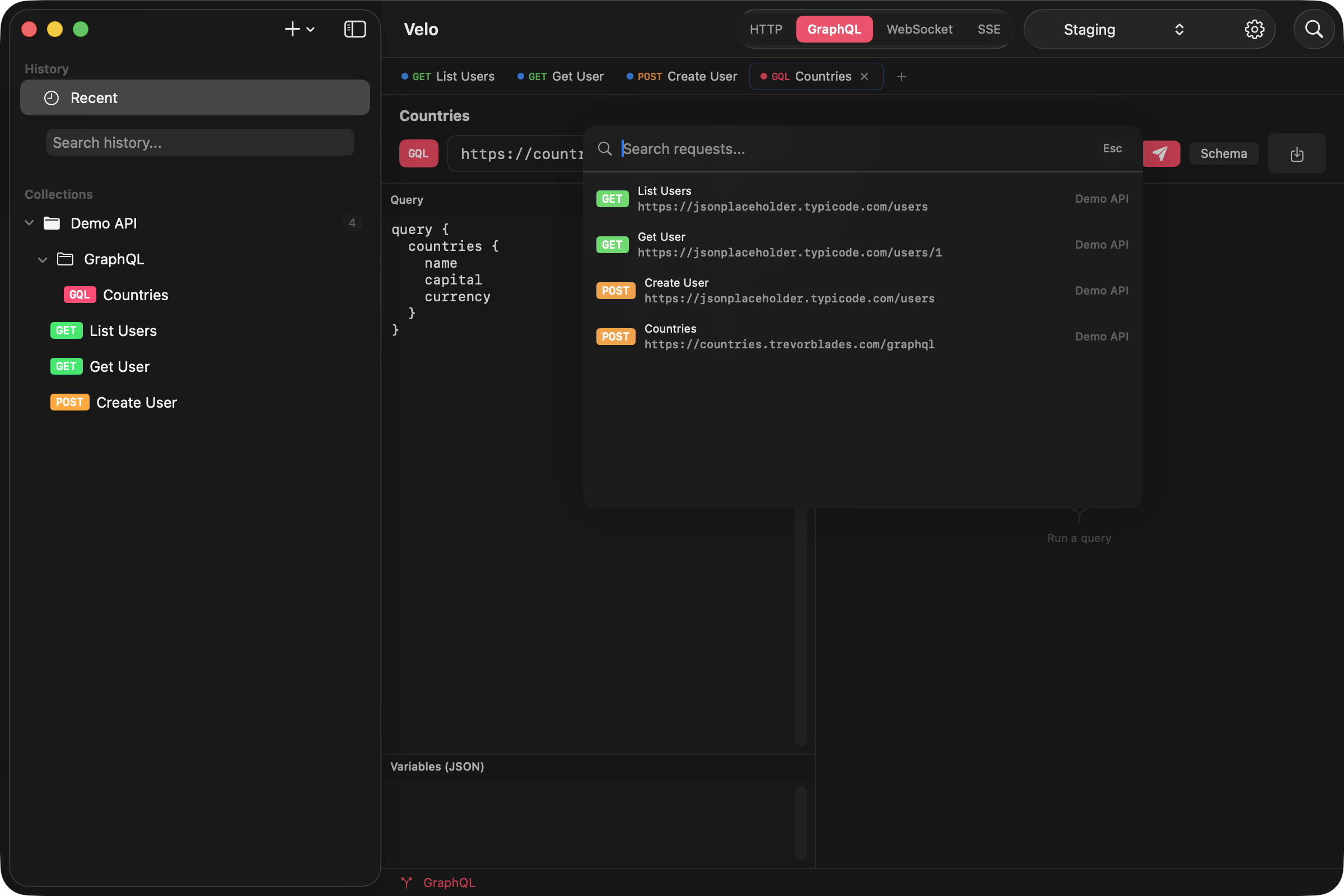
Keep hundreds of requests tidy — and reach any of them in two keystrokes.
Collections & folders
- Create, rename, delete, and duplicate collections
- Organize requests into folders within collections
- Drag-and-drop requests between folders and collections
- Right-click context menus for every action
- Request count badges on collections
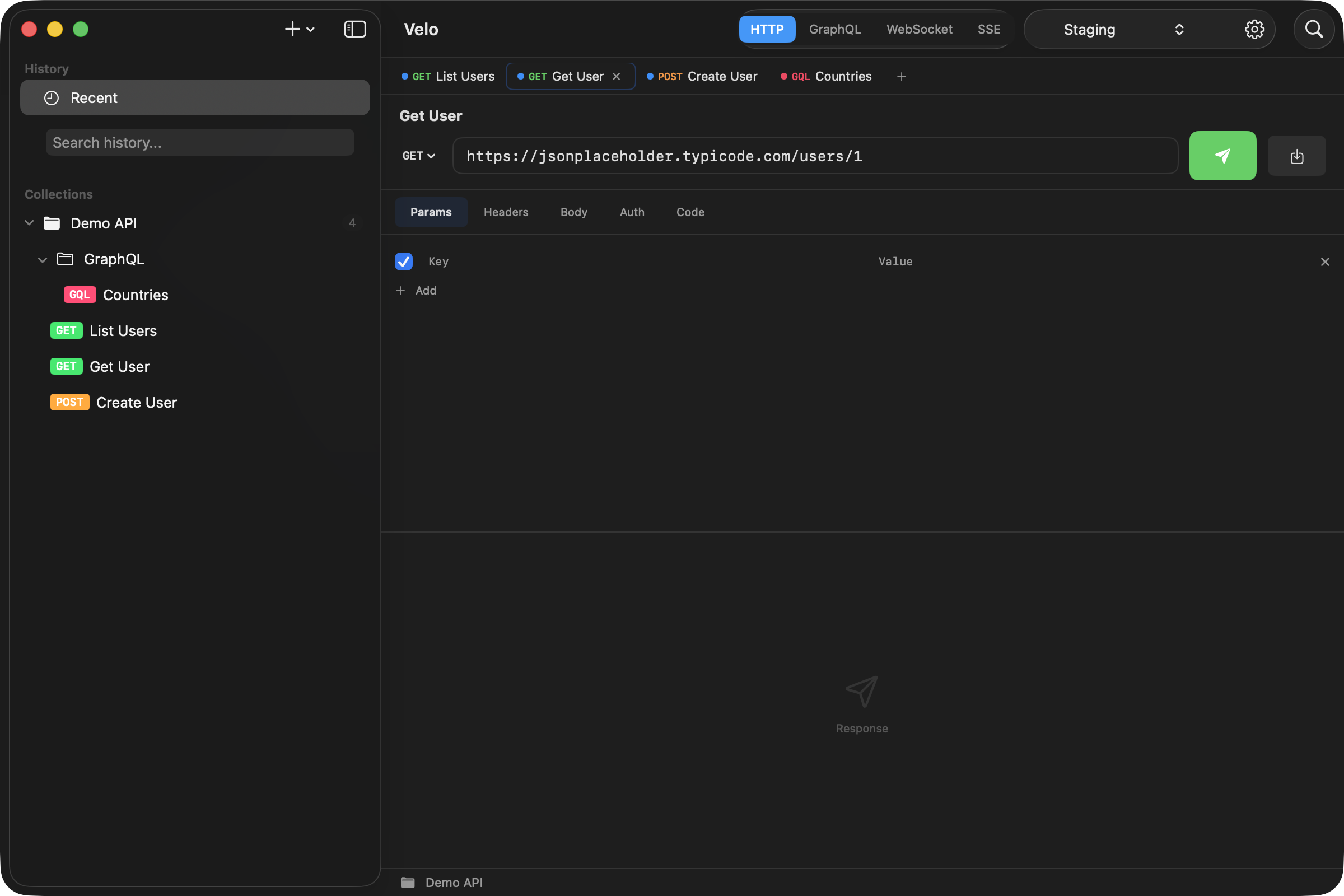
Multi-tab interface
- Open multiple requests simultaneously
- Each tab shows a protocol badge and method
- Close, Close Others, and Close All via context menu
- Tab state preserved when switching (response, timing, errors)
Environments & variables
- Create multiple environments (Dev, Staging, Production)
- Use
{{variable}}syntax in URLs, headers, body, and auth - Global variables available across all environments
- Local variables override globals
Templates
13 built-in templates across all protocols.
- HTTP — GET, POST JSON, Bearer Auth, Form POST, PUT, DELETE
- GraphQL — Query, Mutation, Introspection
- WebSocket — Echo, JSON Subscribe
- SSE — Stream, Stream with Auth
Import & export
Bring your existing work in, and take all of it with you whenever you like.
Developer experience
A keyboard-first workflow, an unlimited collection runner, and preferences for every detail.
Keyboard shortcuts
Collection runner
- Run all requests in a collection sequentially
- Live progress bar with pass/fail per request
- Summary: passed, failed, total time
- Unlimited runs — no paywall
Preferences
- General — theme, accent color, sidebar width
- Editor — font size, line numbers, word wrap, auto-format JSON
- Network — timeout, redirects, SSL verification, User-Agent
- Proxy — HTTP / HTTPS / SOCKS5 configuration
- Data — history retention, storage info, backup/restore
- Shortcuts — full keyboard reference
Privacy & security
Local-first by default. No account, no cloud, no telemetry.
No account required
- Use Velo immediately — there's no signup.
No cloud sync
- All data is stored locally in
~/Library/Application Support.
No telemetry
- Zero tracking, zero analytics.
SSL certificate control
- Toggle SSL verification for self-signed certs.
Secure fields
- Auth tokens use
SecureField(masked input).
Ready to try Velo?
Free forever. No account. macOS 13+ required.