What it does
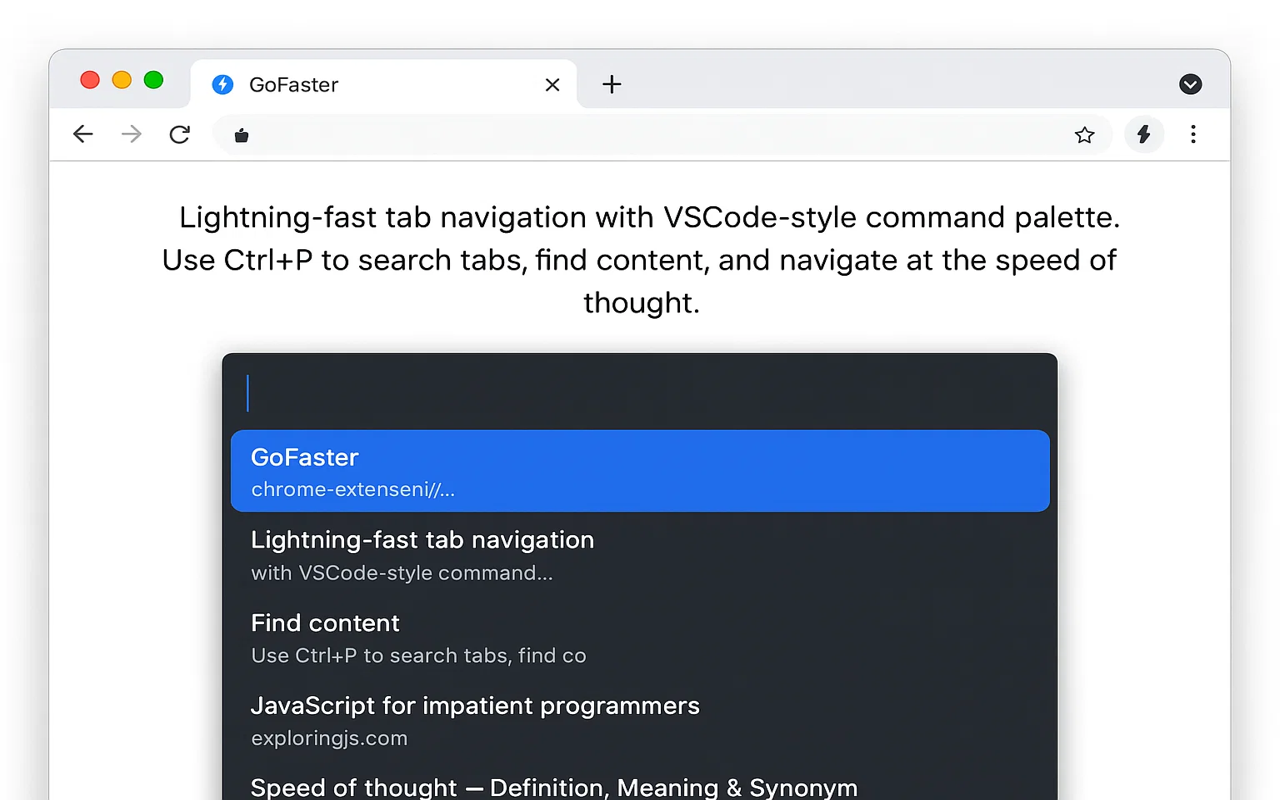
GoFaster adds keyboard-driven navigation to Chrome. Switch tabs, search across open tabs and history, jump to links with hint labels, and access a command palette — all without your mouse.
Install from Chrome Web Store →
Key features
Command palette — Press the shortcut to open a search bar. Type to find and switch to any open tab, bookmark, or history entry.
Link hints — Press a key to show letter labels on every clickable element. Type the letters to click without moving your mouse.
Tab search — Instantly find and switch to any open tab by title or URL.
Keyboard shortcuts — Navigate back/forward, scroll, close tabs, and more with customizable keybindings.
Default shortcuts
| Shortcut | Action |
|---|---|
| Alt+Space | Open command palette |
| F | Show link hints |
| Shift+F | Open link in new tab |
| / | Search current page |
Privacy
GoFaster runs entirely locally. No data collection, no external requests, no analytics.
Support
Having issues? Contact us or leave a review on the Chrome Web Store.