User-Agent Switcher Pro — Chrome Extension
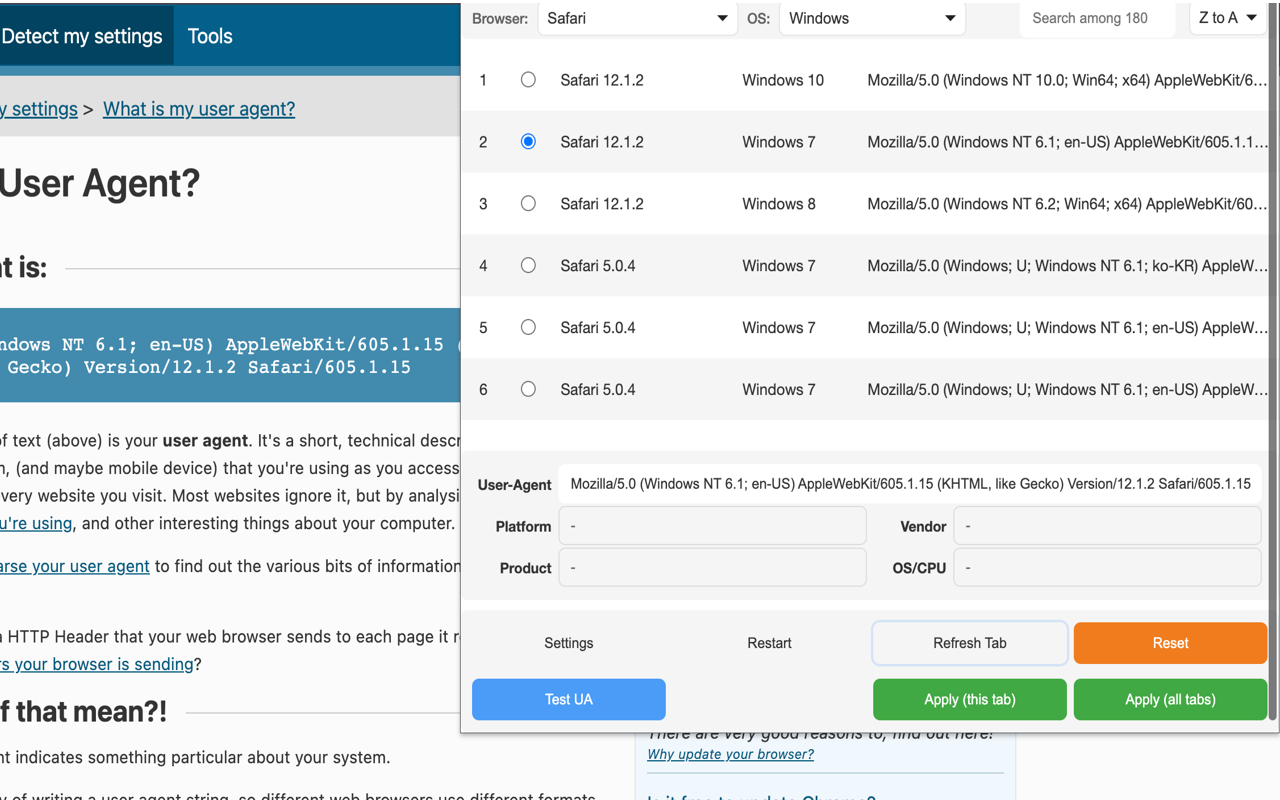
User-Agent Switcher Pro changes your browser’s user agent string so sites think you’re a different browser, OS, or device. Useful for testing responsive sites, accessing mobile-only views, and seeing what Googlebot sees.
540+ users · free, no signup
What it does
The user agent is a string your browser sends with every HTTP request — something like Mozilla/5.0 (Macintosh; Intel Mac OS X 14_5) AppleWebKit/.... Sites use it to detect what browser and device you’re on, and sometimes to serve different content.
User-Agent Switcher Pro replaces that string with one of dozens of pre-built profiles or your own custom value. Critically, it changes the actual HTTP header that goes out with each request — not just navigator.userAgent in JavaScript. That means the site you’re hitting sees the spoofed value in its server logs, its CDN logs, and any analytics that read the request header.
Who it’s for
- Web developers testing responsive layouts on real device profiles
- QA engineers verifying mobile-only flows without an actual device
- SEO professionals checking what Googlebot, Bingbot, or AppleBot sees
- Power users accessing the mobile version of sites that have desktop-only restrictions
- Bug hunters confirming UA-based logic in apps
How it differs from alternatives
Most “user agent switcher” extensions only spoof navigator.userAgent in the page’s JavaScript. That works for sites doing client-side feature detection but fails completely for server-side detection — the server still sees your real Chrome UA in the request header.
User-Agent Switcher Pro uses Chrome’s declarativeNetRequest to rewrite the actual outgoing User-Agent header. Server logs see the spoofed value. CDN edge rules see the spoofed value. This matters when:
- A site routes mobile UAs to a different subdomain
- An API rate-limits or blocks based on UA
- You’re checking how Googlebot is treated by a CDN
- You need to validate UA-based redirects
It’s also more privacy-clean than most: no analytics, no telemetry, no cloud sync of your settings.
Included profiles
| Category | Examples |
|---|---|
| Desktop browsers | Chrome (Windows / macOS / Linux), Firefox, Safari, Edge, Opera |
| Mobile devices | iPhone Safari, Android Chrome, iPad |
| Search bots | Googlebot, Bingbot, DuckDuckBot |
| Legacy | IE 11, older Chrome versions for regression checks |
You can also add custom UAs — useful for testing your own server-side UA-detection logic.
How to use
- Install from the Chrome Web Store
- Click the icon, pick a profile from the list
- Reload the page — the new UA is live
- Pick “Reset to default” to go back to the real Chrome UA
You can also configure the extension to apply a UA only to a single tab, leaving other tabs untouched.
Common use cases
- Test how your site looks to Googlebot before a content audit
- Access mobile-only apps and pages that block desktop browsers
- Verify your CDN’s UA-based caching rules work correctly
- QA a site across “iPhone Safari” and “Android Chrome” without firing up a phone
- Bypass UA-based redirects to confirm the underlying page works
Privacy
The extension modifies HTTP headers entirely on your machine. No data is sent anywhere external. No analytics, no signup, no telemetry. Your UA selection is stored in Chrome’s local storage.
Frequently asked questions
Will sites detect that I'm spoofing my user agent?
Sites that do simple UA-string detection will not. Sophisticated sites use additional signals (TLS fingerprint, JavaScript-detected features, viewport dimensions) that the extension does not change. So a site doing real bot detection or device fingerprinting will likely still spot you.
Does it change navigator.userAgent in JavaScript too?
Yes. The extension rewrites both the outgoing HTTP header and navigator.userAgent in the page context, so client-side and server-side detection both see the spoofed value.
Can I add a custom user agent?
Yes. The extension lets you save arbitrary UA strings for testing your own backend's UA-detection logic.
Is it free?
Yes — fully free, no signup, no premium tier.
See also: Ataiva Chrome extensions · User-Agent Switcher Pro help
Related developer tools on Ataiva
If you’re testing how sites behave for different clients:
- Regex Tester — match user agent patterns when scripting detection.
- Subnet Calculator — IPv4 ranges, CIDR allowlists, and geolocation IP planning.
- Base64 Encoder/Decoder — decode auth headers in HTTP traces.