GoFaster — Chrome Extension
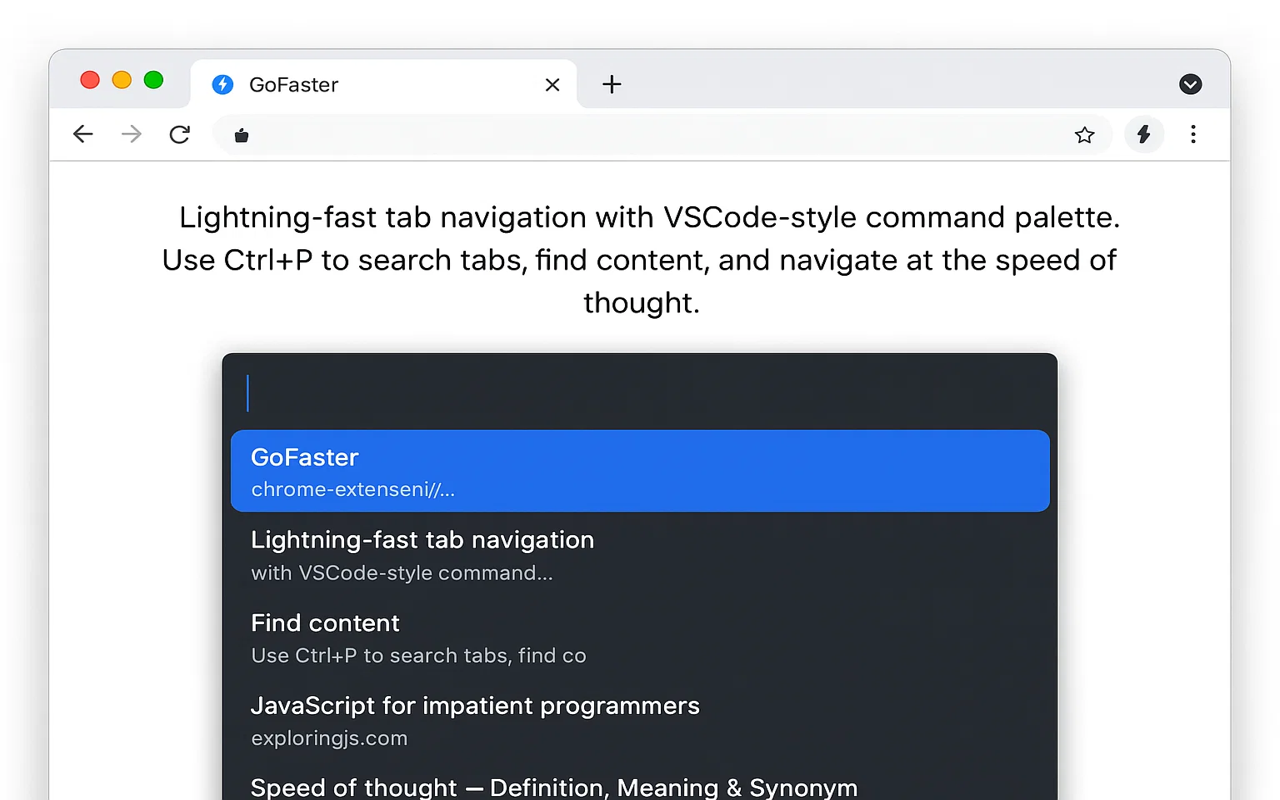
GoFaster turns Chrome into a keyboard-first browser. Press a shortcut to open a VSCode-style command palette, type to find any open tab, bookmark, or history entry, and switch to it without touching your mouse. Hit F to label every clickable thing on the page with a two-letter hint and click it from the keyboard.
What it does
GoFaster bundles three tools every Vimium / Surfingkeys user knows, in a less opinionated package:
- Command palette —
Alt+Spaceopens a fuzzy search bar over your tabs, history, and bookmarks - Link hints — Press
Fand every visible link/button gets a 1–2 letter label; type it to click - Tab search — Find the right tab when you’ve got 60 of them open without rummaging through Cmd+Tab
If you’ve ever closed an “important” tab by accident because it was lost in a sea of favicons, GoFaster is the fix.
Who it’s for
- Developers and power users who already keep hands on the keyboard in their editor and terminal
- People with permanent sore wrists from too much trackpad
- Anyone managing 30+ tabs at once who needs
O(1)access to a specific one
How it differs from alternatives
Vimium is the canonical keyboard-Chrome extension and remains excellent. GoFaster overlaps but has a different philosophy:
- Vimium clones vim modal navigation (
hjkl,gg,G,:tabnew). Powerful, but the learning curve is real. - GoFaster uses a single command palette plus a few discoverable shortcuts. No modes. No memorising vim semantics. Closer to a Mac Spotlight or a VS Code command palette than to a vim emulator.
If you want full vim, use Vimium. If you want “command palette for the browser” without learning a new modal grammar, GoFaster is lighter on the head.
Default shortcuts
| Shortcut | Action |
|---|---|
Alt+Space | Open command palette (search tabs, history, bookmarks) |
F | Show link hints for every clickable element |
Shift+F | Open hinted link in a new tab |
/ | Search current page |
All shortcuts are remappable via chrome://extensions/shortcuts.
Install and use
- Install from the Chrome Web Store
- Pin the icon to your toolbar
- Press
Alt+Spacefrom any page — the palette appears - Start typing — open tabs, bookmarks, and history match by title and URL
- Press Enter on the result to switch
To use link hints, focus a regular page and press F. Type the displayed letters to click. Press Shift+F instead to open in a new tab.
Privacy
GoFaster does not collect any data, does not connect to any external service, and does not include analytics. All tab/history/bookmark searches happen locally via Chrome’s standard APIs. Source is auditable on the Chrome Web Store listing.
Frequently asked questions
Will GoFaster slow down my browser?
No. The extension only activates when you press a shortcut. There's no background polling, no per-page injection of heavy scripts, and no telemetry. Memory footprint is minimal.
Does it work on Chrome OS / Linux / macOS / Windows?
Yes — anywhere Chrome or a Chromium-based browser (Edge, Brave, Arc, Vivaldi) runs.
Can I remap the shortcuts?
Yes. Open chrome://extensions/shortcuts and rebind any of GoFaster's commands. The defaults avoid common conflicts but you may prefer something else.
Is it free?
Yes. Free, no signup, no paid tier.
See also: all Ataiva Chrome extensions · extra help and shortcuts